
1 · What this panel can show
The panel is 3.7″, 240 × 416, black-and-white fast refresh. The framebuffer inside the device is one bit: every pixel is either ink or paper. There is no grey in between.
The controller itself carries four waveform banks and the driver layer still exposes a greyscale entry point — but the product language here, and every image on this site, is strictly two-valued. Each picture has only 0 and 255 in it, and that is asserted at build time rather than assumed.
This imposes one constraint through the whole interface: there is no animation to fall back on. A refresh is a decision, and the reader watches you spend it. So there are no transitions, no fades, no inertia. Feedback has to be static and legible at a glance — a selection is drawn as an outline, not announced by a flash.
Four type sizes, and only four
The firmware rasterises real glyphs at 12, 16, 20 and 24 pixels. A size that is not on that list snaps downwards to the nearest available strike. That is deliberate: a mistyped size should give you the closest intent, never a blank screen.
12 px Chinese is muddy on this panel — all four strikes are genuinely rasterised, but at 12 px the strokes land on the same rows. So nothing at the foot of the panel is set below 16 px.
2 · The six main screens
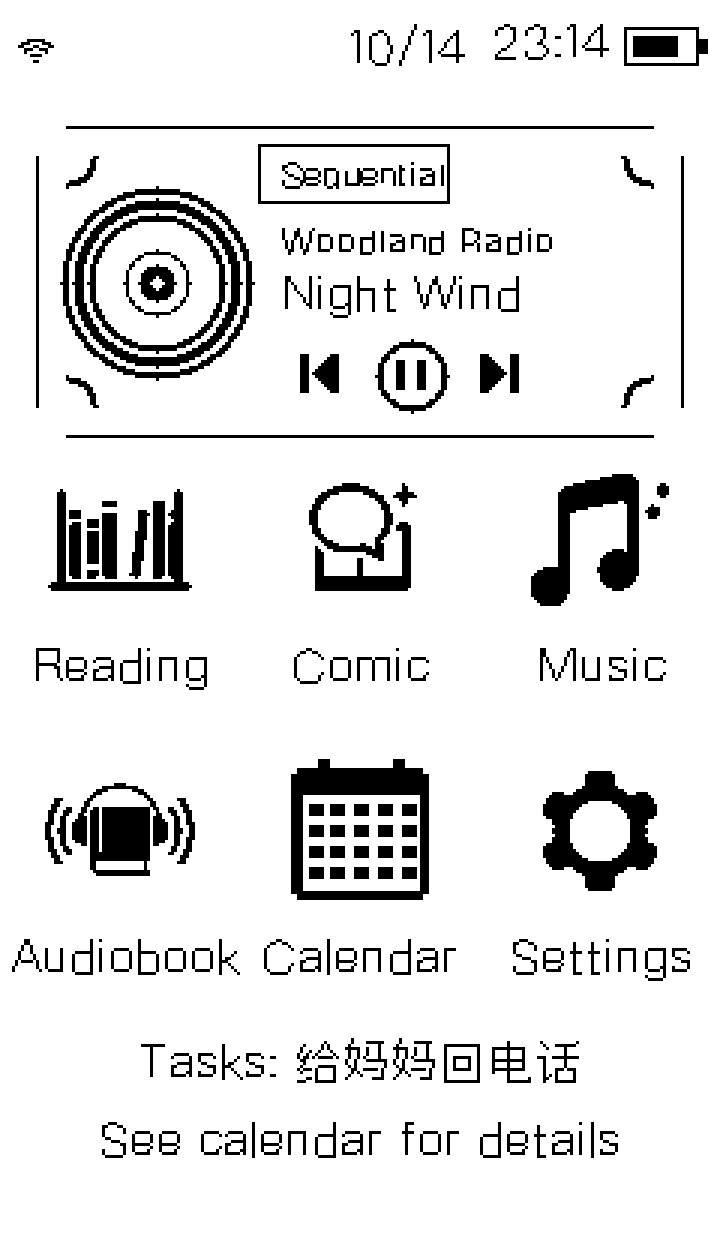
The desktop is the only first-level page. Six entries sit in two rows — reading, comics, music, audiobooks, calendar, settings — with a now-playing card pinned to the top and a to-do line at the foot.
Why the card is always there
It used to sit at the bottom and only appear when something was playing. Both were wrong for the same reason: a control that moves between screens and vanishes on others is a control the reader has to go looking for. It now lives at the top, and at rest it says where the library is stopped rather than showing nothing. Moving it up freed the room the card needed and the icon grid moved down rather than shrinking.
One to-do, not a count
The foot of the desktop shows the highest-priority item still outstanding — not a number, and not “you have 3 to-dos”, which tells the reader nothing they can act on without leaving the panel. The second line appears only when there is more than one, and its job is to say the rest exist rather than to hide them. With nothing outstanding, nothing is drawn: a permanent “no to-dos” is the same nag with the message turned around.
3 · Touch and keys
Gestures
| Gesture | Meaning |
|---|---|
| Swipe left / right | Go back one level. The only back gesture. |
| Tap | Confirm, select, or play/pause on the current page. |
| Long press | Context action for the current page. |
| Double tap (reader) | Open the table of contents. |
| Swipe up / down (reader) | Next / previous page. |
| Tap left / right half (reader) | Previous / next page. |
The touch hit area and the highlight rectangle are the same rectangle. They were once different, which produced a control you could hit but could not see.
Physical keys
| Key | Short press | Long press |
|---|---|---|
| Power | Screen sleep | Deep sleep |
| Volume + / − | Volume up / down | Continuous adjust |
| Play / pause | Play / pause | Stop |
4 · The reader
TXT and EPUB. Table of contents, chapter jumps, page turning, and your place survives power loss. Four type sizes, and pagination is recomputed for each one — the page index is measured against the real advances of the face in use, not reused from another size.
Chinese goes through a GB18030 table, so older non-UTF-8 files stay readable. Latin and digits come from the same face.
Pagination is not a character count
Pages are cut at real measured offsets after a line has been laid out, not by “N characters per line”. Chinese line-breaking has forbidden positions — characters that may not open a line and characters that may not close one — and they are enforced. That is why a page occasionally ends with a short-looking line.
5 · Music and audiobooks
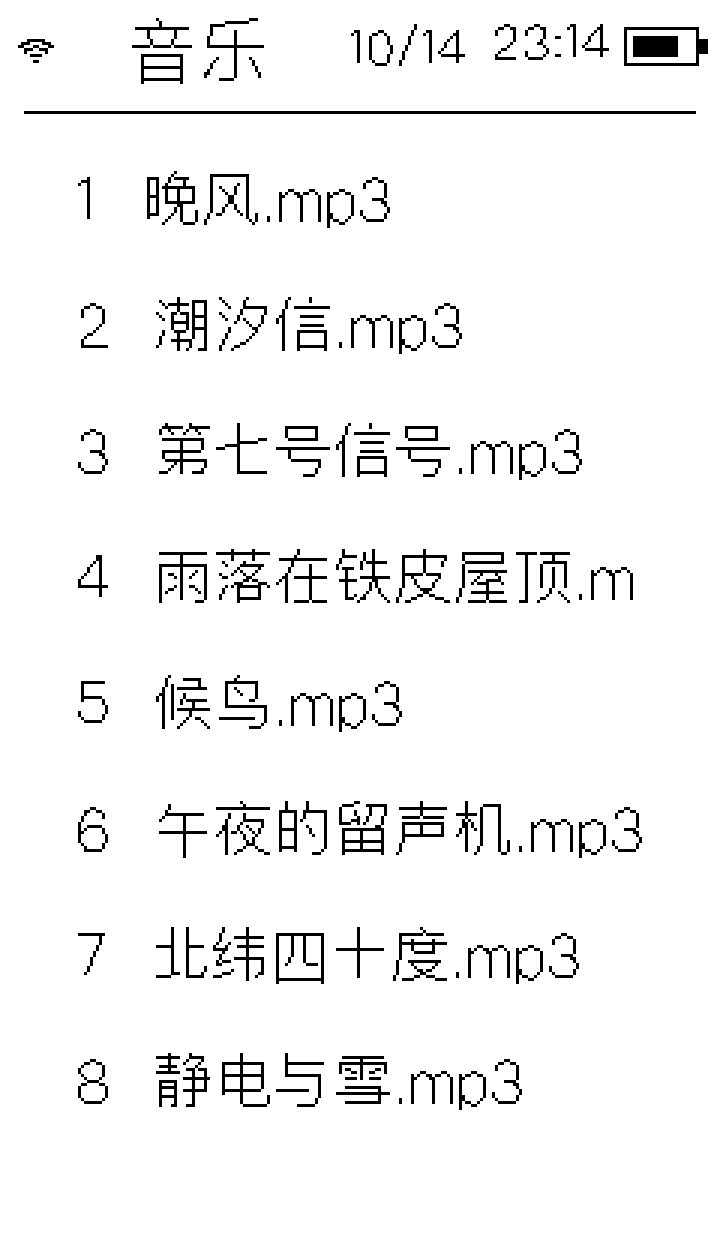
The decoder dispatches on file extension, and music and audiobooks share one playback path with no fork. The library offers MP3, FLAC and WAV.
Partial refresh
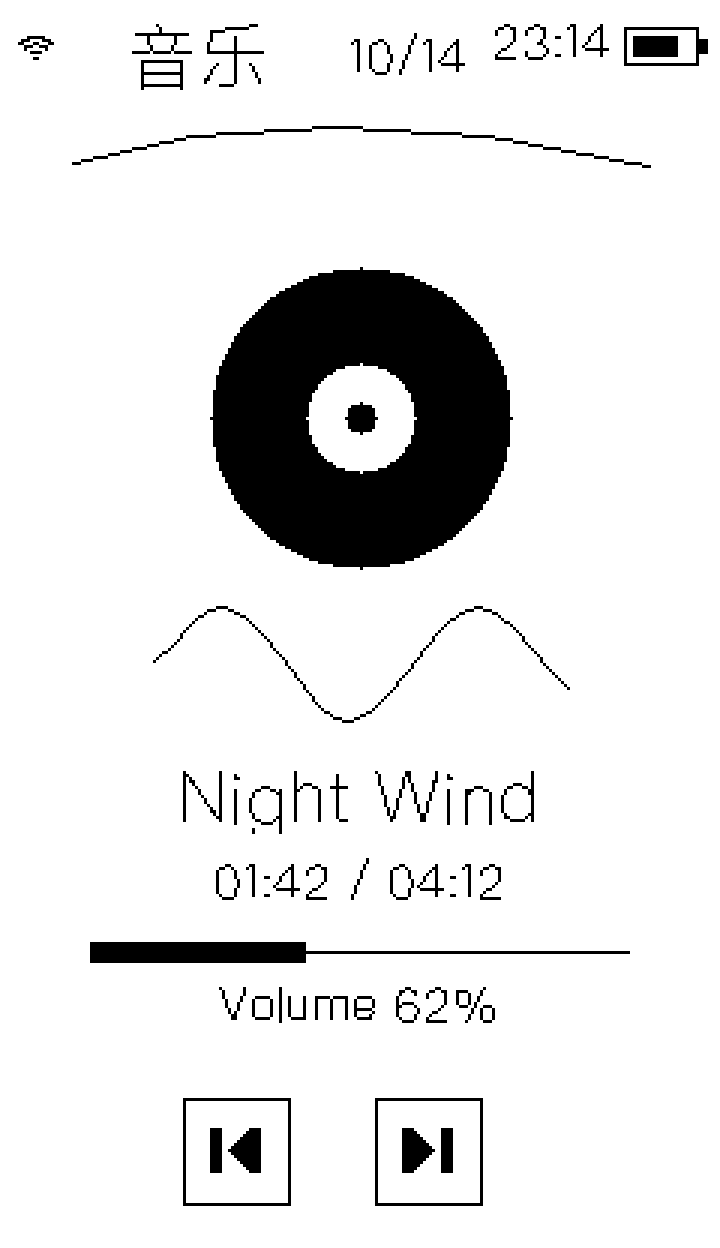
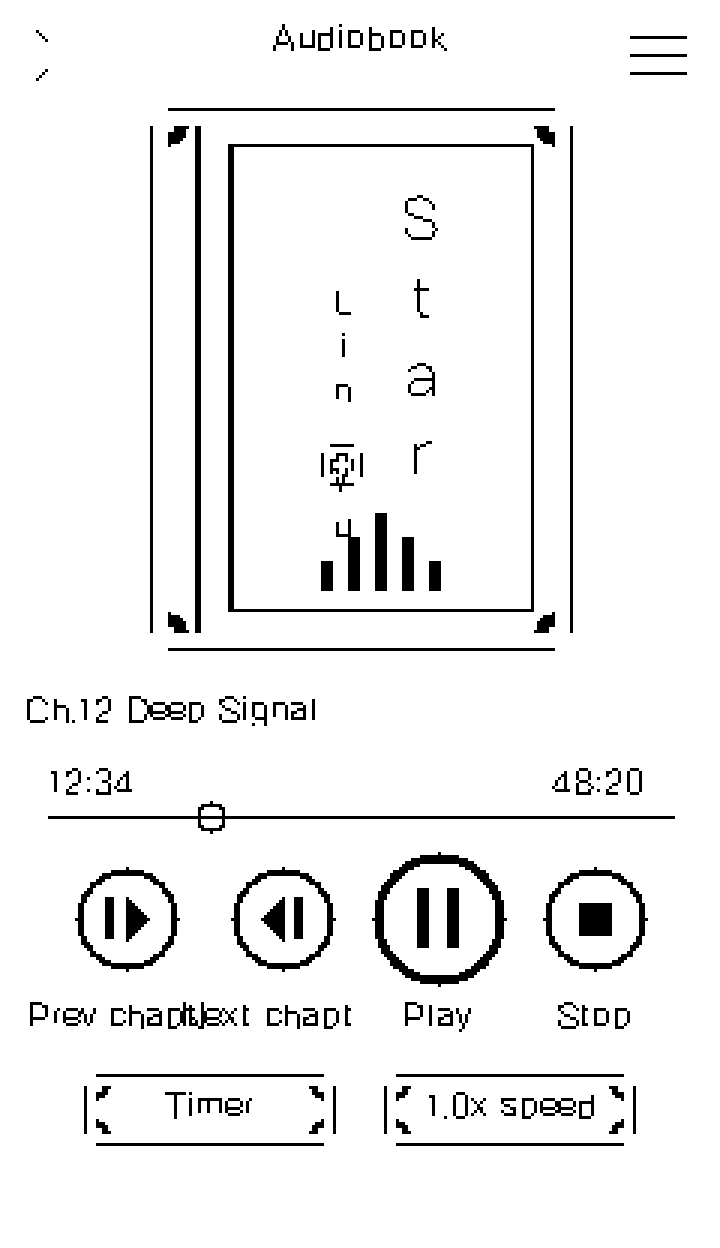
While playing, a controlled partial refresh every five seconds redraws only the progress and timing lines. A full-panel refresh produces a visible strobe, which on e-ink is genuinely unpleasant.
Audiobooks remember per chapter
Audiobooks are organised book → chapter, and each chapter keeps its own position. Coming back to a finished book, the device can tell “resume from the chapter you stopped at” from “start again” — because “listened to the end” and “never started” are the same number in the progress field, so that fact is recorded separately.
6 · Comics
Two formats: MOBI (embedded images, walked page by page) and EPD (a single page-sized framebuffer). Each page is rasterised and then resampled to one bit.
Resampling is plain box averaging. An early version pulled each cell a quarter of the way toward its darkest pixel; the result was thicker strokes, vanished white gaps, and about 39% more ink than the source. On a panel that is already black and white, “darker” simply means “blurrier”.
7 · Calendar and to-dos
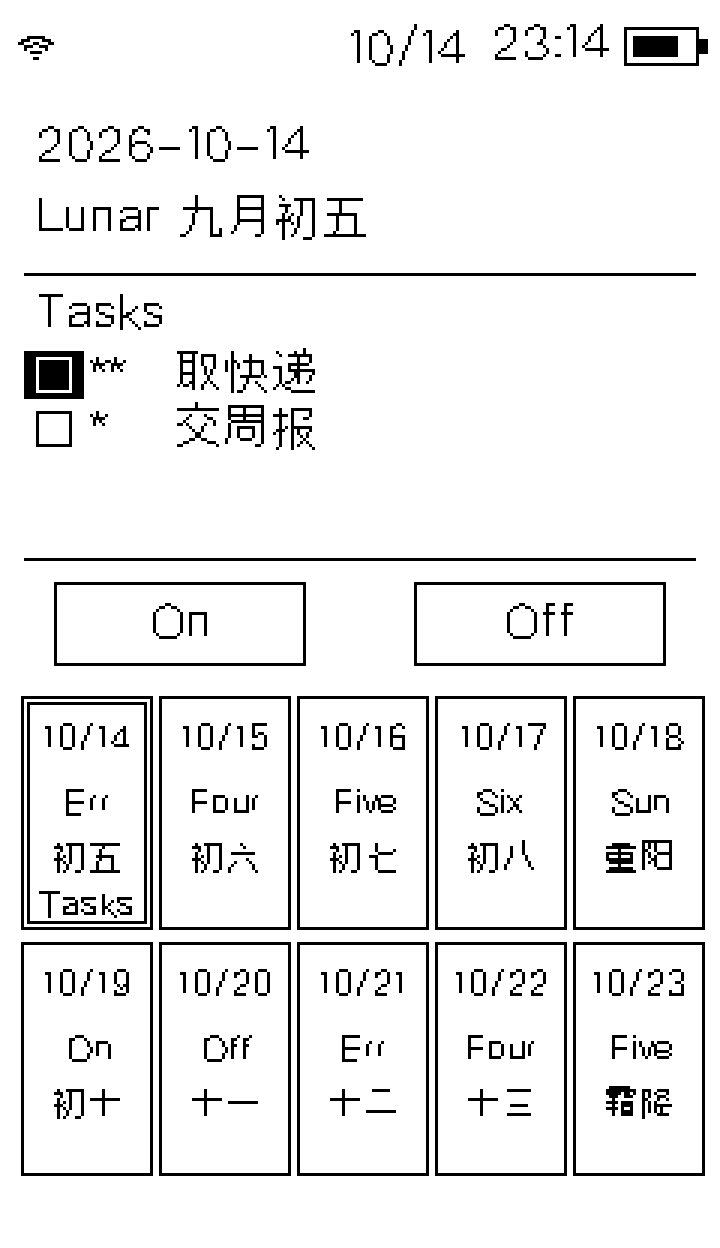
The month view carries lunar dates and solar terms, all computed on the device with no network involved.
To-dos are first-class: they live on the TF card, and the device and the web console share the same file. There are four cases, and the one that used to be missing is the whole bug:
| Dated? | Done? | Appears on |
|---|---|---|
| No | Open | Every day (a standing reminder) |
| No | Done, with a completion date | Only the day it was finished — filed into the calendar |
| No | Done, without one | Nowhere |
| Yes | Either | Only its own day |
Plus two rules:
- Automatic expiry: a 1-star to-do completes itself a day late, a 2-star three days, a 3-star never expires.
- A finished to-do is archived, never deleted. The only way to clear them is “clear completed” in the web console.
On the calendar a to-do is marked by a small square only — the whole row is not a target, because a whole row is far too easy to hit by accident.
8 · Battery and sleep
Two kinds of sleep, and they mean different things
- Screen sleep: the panel and the audio go down; the current page and selection survive. Any touch or key only wakes the panel — it forces one full refresh and discards whatever input piled up during it. Input after that acts on the page.
- Auto power-off: the power domains are cut and the panel stays on the shutdown image.
Screen sleep offers 10 to 60 minutes; auto power-off offers 20 to 60 minutes or “never”. “Never” is stored as 0, which is a real option and not a missing value — three separate gates admit it explicitly. The guard lives on the branch instead of clamping 0 up to the sleep timeout, because clamping turns “never” into a real deadline without saying so.
The battery figure is a self-learning estimate
The board has an ADC and no current sensor. So the reading is not a lookup table: it tracks three things at once — the peak voltage actually reached this cycle, the open-circuit voltage envelope, and a hysteretic reported level. The curve comes from published discharge data, and the error between 60% and 90% converges from −21 points to −2.
Precisely because it is an estimate, the device does not show remaining milliamp-hours. That number would look precise and have no evidence behind it.
9 · The web console
The device runs an HTTP server; join the access point and a single-page app opens. The whole interface is two embedded files, with no front-end framework. Five sections: overview, reading, audio, network, system.
| Section | What it does |
|---|---|
| Overview | Device state, battery, TF card, version, current reading and playback |
| Reading | Library, book upload, whole-book delete, covers, reader settings |
| Audio | Audio library, filtering, upload, cover upload, whole-book delete, playback control |
| Network | Access point, join a router, scan, forget, screen diagnostics, Bluetooth |
| System | Power, backup export and restore, updates, calendar, the to-do panel |
One structural constraint
Control colours are decided by two variables alone, declared once per theme. A to-do row once carried its own background colour while the theme only overrode the input fields — and the row, sitting inside the list container rather than a field, was never reached. The result was white text on white in a dark page, with three inputs and the date all smeared together.
The lesson: a colour written next to a selector is a colour no theme can ever change. That is now guarded by a test that walks the base stylesheet, rather than by a hand-written list.
10 · Radios and online updates
The access point and Bluetooth are mutually exclusive
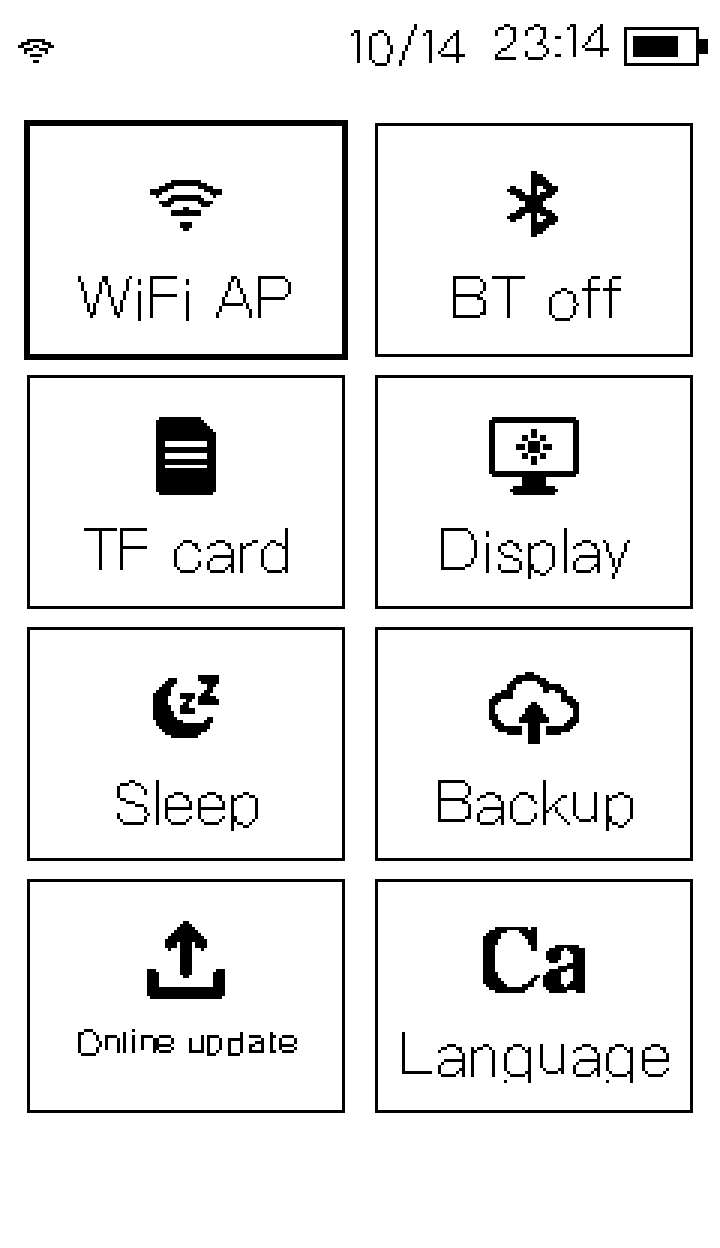
Turning on the access point turns Bluetooth off, and vice versa. This board cannot host both radios at once: raising the WiFi transmit buffer stopped WiFi from failing but pushed Bluetooth onto the same heap, where it failed to allocate. So it is a hardware constraint expressed as an explicit interlock, not a bug waiting to be fixed.
Updates are anonymous and verified
Nothing is burned into the firmware — no tokens. The release manifest is four plain-text lines: version, download URL, SHA-256 and size. The download is verified first, and a hash mismatch means it is never written. TLS uses certificate verification; there is no switch to turn it off.
Versions are compared numerically, field by field: v1.11 is newer than v1.2, and v1.9 is older than v1.11. A string comparison gets both of those backwards.
11 · Data and privacy
This device goes online for three things: setting the clock, checking for an update, and reaching your own WebDAV server. It does not contact anything else.
| When it goes online | Where it goes | What it sends |
|---|---|---|
| Setting the clock | ntp.aliyun.com | A time request carrying no device identifier |
| Checking for updates | A version file on Gitee | One GET, with nothing from this machine attached |
| Syncing files | The WebDAV address you filled in | The directories you chose to sync |
Books, music, audiobooks and comics live on the TF card in four folders —
/阅读, /音乐, /有声书,
/漫画. They are never uploaded, no account is ever
created, and nothing is recommended to you. Pull the network and
the device carries on.
The device is itself a WebDAV server: once connected, the whole card can be browsed and transferred. Where it syncs to is your WebDAV account to choose; the files do not pass through anyone else.
The WiFi access point is password-protected. The web console runs only on the access point the device opens itself, or on your local network — it is not a service exposed to the internet.
12 · Known limitations
Listed as they are, including what is still broken on the device.
| Item | Where it stands |
|---|---|
| Deep sleep cannot be woken by the power key | The power key produces no signal on this board; the device needs a full power cycle. A hardware limitation. |
| The English interface is partly untranslated | The music player title skips translation and stays Chinese in the English build, and the audiobook page's key labels are long enough to overlap each other at 12 px. The Chinese build is unaffected. |
| Three different lists of supported audio formats | Tidying, listing and decoding each recognise a different set of extensions, so some formats get filed into the library and then cannot be seen. |
| Speaker output | Not fully closed yet. The playback path works; the amplifier chain is still being verified. |